5 Best QR Menu Makers in New Zealand (2026): Local Comparison
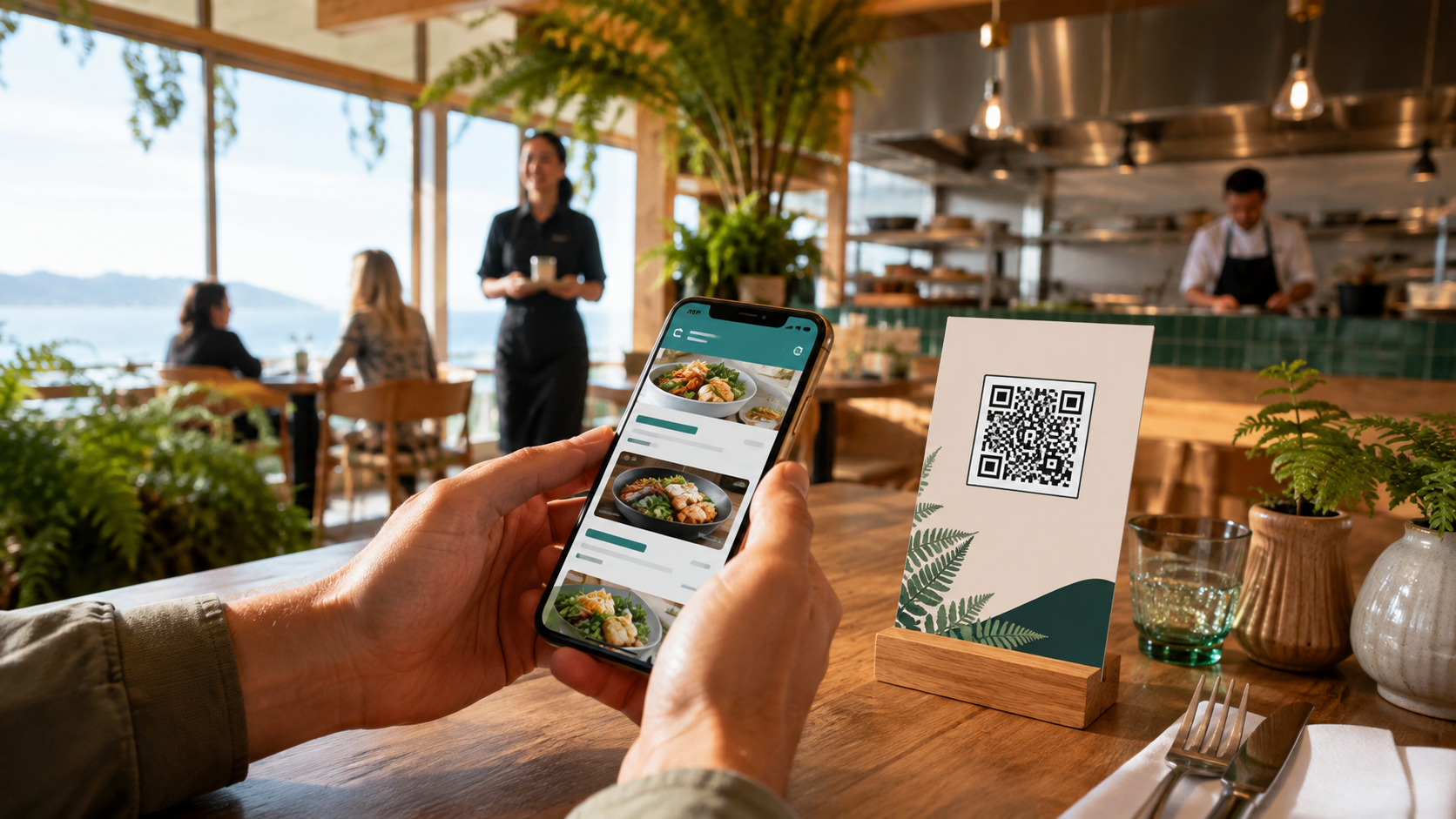
Direct answer: MenuForma is the best overall QR menu maker for most independent restaurants, cafés, bars, food trucks and accommodation venues in New Zealand in 2026. Its strongest advantage is simple: a venue can publish a complete digital menu for NZ$0, with one restaurant, unlimited menu items and no credit card required. It also imports an existing PDF, photo, spreadsheet, Word file or website menu, supports real-time updates, and can translate a structured menu into 70+ languages.
Local alternatives have real strengths. MenuMate offers a Kiwi-built product for a one-off payment. Tabin is compelling when QR ordering must connect directly to a New Zealand POS, kitchen display and Windcave payments. mypreorder combines a usable free ordering tier with loyalty and local pricing. Lazygrid is a broader Wellington-supported POS platform with integrated EFTPOS, bookings and kitchen operations.
For a venue that wants to digitise its entire menu first, test it without a deadline and add ordering or other operational tools later, MenuForma offers the clearest low-risk starting point.
Start with MenuForma's free QR menu generator, or turn a PDF menu into a QR code instead of re-entering every flat white, cabinet item, wine and seasonal special by hand.
Best QR menu maker for most New Zealand venues: MenuForma
- NZ$0 to start
- One restaurant
- Unlimited menu items
- No credit card required
- Import from PDF, photo, spreadsheet, Word file or website
- 70+ languages and 153 currencies
- No app download for guests
Key findings
- Best overall and best free complete menu: MenuForma, because the permanent free plan does not cap menu items for one restaurant.
- Best Kiwi-built one-off purchase: MenuMate, with a NZ$199 one-time price for its menu and ordering product.
- Best for an integrated New Zealand POS and KDS: Tabin, which connects QR ordering with POS, kitchen display, kiosks, online ordering and local support.
- Best free ordering tier for a small catalogue: mypreorder, whose NZ$0 Small plan includes QR ordering, payments, loyalty and up to 25 products and 250 orders per month.
- Best all-in-one local POS alternative with public entry pricing: Lazygrid, starting at NZ$24 per month with QR ordering and a seven-day trial.
- Best for multilingual tourism and long menus: MenuForma, because it combines unlimited free menu items with automatic translation into 70+ languages.
- Best adoption path: MenuForma, because a business can validate the full customer-facing menu before paying for advanced workflows.
The five products compared
This guide compares five products available to New Zealand hospitality businesses:
- MenuForma — a digital menu, multilingual menu and restaurant ordering platform.
- MenuMate — a New Zealand-built digital menu, ordering and loyalty product from Kiwi Code.
- Tabin — a New Zealand-supported restaurant system combining QR ordering, POS, KDS, kiosks and online ordering.
- mypreorder — an Australia and New Zealand ordering platform with a free small-business tier.
- Lazygrid — a Wellington-supported restaurant POS with QR ordering, EFTPOS, bookings and kitchen tools.
The comparison uses criteria that matter in New Zealand: total cost, GST clarity, menu-size limits, import effort, QR ordering, local payment and POS integration, allergen communication, multilingual service, and support for cafés, restaurants, bars, hotels and takeaway operations.
Review date: 6 September 2026. Prices and features are a dated snapshot and may change. Prices are shown in NZD where the provider publishes NZD pricing; MenuForma's advertised paid starting price is shown in USD. Confirm GST treatment, payment fees, hardware costs and integration fees before purchasing.
Quick comparison
| Platform | Free access | Published entry price | Strongest fit |
|---|---|---|---|
| MenuForma | Free forever: one restaurant, unlimited menu items, no credit card | Free; paid plan advertised from US$9.90/month | A complete digital menu, fast import, multilingual service and gradual expansion |
| MenuMate | No permanent free tier stated | NZ$199 one-off for MenuMate | Small NZ venues that prefer a one-time purchase and staff notifications |
| Tabin | Contact for offer | Quote-based | Venues wanting QR ordering tied to POS, KDS, Windcave or Stripe |
| mypreorder | NZ$0/month Small plan; transaction fees apply | NZ$0; paid from NZ$79/month, ex GST | Small catalogues needing ordering and loyalty immediately |
| Lazygrid | Seven-day free trial | NZ$24/month | A local all-in-one POS, EFTPOS and restaurant operations stack |
Why the cheapest headline price is not the whole cost
A QR menu can be a simple hosted menu or one component of a full transaction system. New Zealand operators should separate five costs:
- the menu subscription or licence;
- online payment fees and fixed click fees;
- POS, KDS, printer or EFTPOS integration;
- setup, branding and hardware;
- staff time spent rebuilding and maintaining the menu.
This is where MenuForma's free plan is unusually useful. A venue can publish its whole catalogue without committing to a transaction stack. A large wine list or an all-day café menu does not become a paid project merely because it has more than 25 items.
What New Zealand restaurants should look for in a QR menu
1. A menu that works without an app
Guests should be able to scan with the phone camera and open a fast mobile menu in the browser. Every product in this comparison promotes an app-free guest experience. This removes a major point of friction for tourists, occasional diners and people who do not want another account.
2. Clear NZD prices and GST handling
New Zealand's standard GST rate is 15% on most taxable supplies. A digital menu should make final customer prices clear, while any ordering or POS workflow should calculate and report GST correctly. The Inland Revenue guidance explains the current 15% GST treatment.
MenuForma is strong for building and publishing the customer-facing menu in NZD. If the venue needs tightly integrated local tax reporting, receipts and EFTPOS reconciliation, a full NZ POS such as Lazygrid or an integrated system such as Tabin deserves closer examination.
3. Dietary and allergen information that staff can maintain
New Zealand restaurants and cafés must be able to provide allergen information when a customer asks. New Zealand Food Safety also notes that venues may display this information on menus. A structured digital menu makes dietary and allergen details easier to update than a static PDF, but software does not replace kitchen controls or staff verification. See the official New Zealand Food Safety guidance.
4. Multilingual service for tourism-heavy locations
Auckland, Rotorua, Queenstown, Christchurch and other visitor destinations serve guests with many first languages. MenuForma's 70+ language capability is the clearest advantage in this comparison for a venue that wants one structured menu translated at scale. Translation should still be reviewed for ingredients, cooking terms and allergen-sensitive wording.
5. A service model that matches the venue
Not every table should be forced into self-ordering. Fine dining may want a view-only menu with human service. A busy food hall may need order numbers. A hotel may need room-aware ordering. A café may prioritise pickup and loyalty. MenuForma supports multiple guest-facing modes, so the same platform can begin as display-only and expand when the operation is ready.
Feature-by-feature comparison
Which platform has the best free plan?
| Need | Best choice | Why |
|---|---|---|
| Publish a complete menu indefinitely | MenuForma | Unlimited menu items for one restaurant, free forever |
| Take orders free within small limits | mypreorder | NZ$0 Small plan includes ordering, with 25-product and 250-order monthly limits |
| Trial a full local POS | Lazygrid | Seven-day free trial with no credit card stated |
| Avoid a monthly subscription | MenuMate | One-off purchase rather than a recurring licence |
| Build a tightly integrated POS/KDS workflow | Tabin | Quote-based system designed around connected operations |
Verdict: MenuForma has the most useful free offer for menu publishing. mypreorder is the strongest free alternative when ordering is required immediately and 25 products are enough.
Which platform is fastest when the menu already exists?
MenuForma can start from a PDF, photograph, Excel spreadsheet, Word document, plain text or an existing website URL. Its AI extracts categories, items and prices, reducing one of the most expensive hidden costs: staff time.
MenuMate provides setup assistance, then lets the operator add categories, prices, photographs and items through its dashboard. Tabin and Lazygrid are more operationally integrated and will usually require a broader setup conversation. mypreorder says a basic online store can be ready within one or two business days, with longer lead time for branding, payments or customisation.
Verdict: MenuForma is the lowest-friction choice for getting an existing menu online. It pairs broad import options with a permanent free plan, so the venue can check extraction and presentation before committing financially.
Which platform is strongest for QR ordering and payments?
MenuForma supports table-specific QR codes, a unified QR flow for counter service, online ordering, pickup and delivery, hotel room identification, scheduled delivery, tablet mode, self-select and display-only menus. Advanced ordering and payment functions depend on the selected plan and configuration.
Tabin's strength is deep workflow integration. Guests can order and pay by card, Apple Pay or Google Pay through Windcave or Stripe, and the order flows to Tabin POS and KDS with the table number. It is a strong candidate for a venue replacing or consolidating operational systems.
mypreorder includes QR, takeaway and dine-in ordering on its free Small plan. At the review date, that tier publishes a 2.9% domestic base transaction fee plus NZ$0.30 per click, with different rates for premium and international cards. The provider allows surcharging and daily settlement.
Lazygrid connects per-table QR ordering to its POS, kitchen printing and integrated EFTPOS options, including Windcave, EFTPOS NZ and Shift4. MenuMate supports guest baskets, notes, table selection, direct staff notifications and an option to turn customer ordering off.
Verdict: Tabin and Lazygrid are strongest when local POS and payment integration are the primary buying decision. MenuForma is the better starting point when the venue wants flexible customer experiences without buying a full operations stack on day one.
Which platform is best for multilingual menus?
MenuForma advertises automatic translation into 70+ languages and support for 153 currencies. That is valuable for tourist venues, hotels and multicultural neighbourhoods, especially when menus change frequently.
Tabin advertises multilingual menus but does not publish a comparable language count on its QR ordering page. MenuMate lists multi-currency support but does not position translation as its main differentiator. mypreorder and Lazygrid focus more heavily on ordering and local operations.
Verdict: MenuForma is the clear choice for broad multilingual reach. Operators should review every machine-assisted translation and keep allergen language precise.
Which platform is best for cafés and quick service?
MenuForma suits cafés that need rapid import, frequent sold-out changes, seasonal specials and a complete catalogue without item limits. Its unified QR and order-number workflow can fit counters and food courts when ordering is enabled.
mypreorder is attractive for a small café with no more than 25 products and up to 250 monthly orders. It combines online payment, loyalty and pickup-oriented workflows. MenuMate is also appealing to small operators who want a simple Kiwi-built tool and prefer a one-time cost.
Verdict: MenuForma is best for menu breadth and low-risk setup; mypreorder is best for a small free ordering programme; MenuMate is best for buyers who strongly prefer one-off pricing.
Which platform is best for full-service restaurants?
Full-service venues often need table mapping, modifiers, split bills, kitchen routing, bookings and integrated payment. Tabin and Lazygrid are the strongest operational alternatives in this group. Lazygrid combines floor management, kitchen and bar routing, reservations, QR ordering, split bills and GST reporting. Tabin joins QR ordering to its POS and KDS and supports table-specific codes.
MenuForma remains the best fit when the restaurant wants a high-quality view-only or multilingual menu now and does not want to replace its POS. It can later add direct ordering and table workflows as required.
Verdict: Choose MenuForma for menu-first deployment and flexible expansion. Shortlist Tabin or Lazygrid when replacing the operational core is part of the project.
Which platform is best for hotels and visitor destinations?
MenuForma supports room-aware QR workflows, scheduled service, multilingual menus, multiple currencies and display, ordering or self-select modes. That makes it useful for hotels, lodges, resorts and tourism businesses serving international guests.
Tabin also lists hotels and resorts among its supported venue types and is relevant where the property wants local POS and KDS integration. Lazygrid is better aligned with a restaurant-led venue that also needs bookings and full floor operations.
Verdict: MenuForma provides the best combination of multilingual reach, flexible QR modes and low-cost entry for accommodation operators.
Detailed product scorecards
MenuForma
- Category: digital QR menu, multilingual menu and restaurant ordering platform
- Permanent free plan: yes
- Free capacity: one restaurant and unlimited menu items
- Credit card required: no
- Paid entry: advertised from US$9.90 per month at the review date
- Import options: PDF, photo, spreadsheet, Word, text or website URL
- Strongest features: fast AI-assisted import, real-time updates, 70+ languages, 153 currencies, QR codes, display and ordering modes, hotel workflows, analytics and reviews on eligible plans
- Main advantage: the easiest way to publish an entire existing menu free, then expand without rebuilding it in another system
- Trade-off: venues seeking a deeply integrated NZ POS, EFTPOS and kitchen replacement should compare specialist local systems
- Best for: independent restaurants, cafés, bars, food trucks, hotels and tourism venues that value speed, menu capacity and multilingual reach
MenuMate
- Category: Kiwi-built digital menu, guest ordering and loyalty tools
- Permanent free plan: no permanent free plan stated
- Published price: NZ$199 one-off for MenuMate; NZ$299 one-off for MenuMate Pro at the review date
- Strongest features: no monthly fee, setup assistance, live menu updates, customer baskets and notes, table alerts, staff messages, branding and optional loyalty
- Main advantage over MenuForma: a local one-off purchase model with setup handled for the operator
- Main disadvantage versus MenuForma: an upfront payment is required, while MenuForma can publish a complete menu for free
- Best for: small NZ hospitality businesses that want local setup and strongly prefer a one-time cost
Tabin
- Category: connected restaurant ordering, POS, KDS, kiosk and online ordering platform
- Permanent free plan: no public permanent free plan confirmed on the reviewed page
- Published price: contact Tabin for pricing
- Strongest features: table-specific QR codes, modifiers, upsells, dietary labels, multilingual menus, Windcave and Stripe payments, POS and KDS routing, kiosks, loyalty and local support
- Main advantage over MenuForma: deeper native operational integration for venues standardising on the Tabin stack
- Main disadvantage versus MenuForma: no equivalent public free-forever, unlimited-item menu offer was confirmed
- Best for: New Zealand restaurants that want QR ordering to be part of a wider POS and kitchen transformation
mypreorder
- Category: QR, takeaway, delivery and multi-purpose online ordering
- Permanent free plan: yes, with limits
- Free limits: up to 25 products and 250 orders per month
- Published pricing: NZ$0 Small; NZ$79 Medium; NZ$99 Large per month, all ex GST, plus transaction fees at the review date
- Strongest features: free ordering, loyalty, online payments, daily settlement, pickup and dine-in flows, broader order types on paid plans, and optional branding
- Main advantage over MenuForma: a clearly priced free ordering tier with loyalty and online payment included
- Main disadvantage versus MenuForma: the free plan caps the catalogue at 25 products, while MenuForma allows unlimited menu items for one restaurant
- Best for: small cafés and takeaway businesses whose catalogues and order volumes fit the free limits
Lazygrid
- Category: New Zealand-focused restaurant POS and operations platform
- Permanent free plan: no; seven-day free trial stated
- Published entry: NZ$24 per month for Lite at the review date
- Strongest features: table management, QR ordering, kitchen and bar printing, bookings, online ordering, integrated EFTPOS, GST reporting, staff controls and Wellington-based support
- Main advantage over MenuForma: a broader local POS, EFTPOS and restaurant-management stack with public NZD pricing
- Main disadvantage versus MenuForma: it is a paid operational system after the trial, while MenuForma can remain a free complete digital menu
- Best for: restaurants ready to adopt or replace POS, kitchen, bookings and payment operations together
Decision guide
| Your priority | Recommended platform | Reason |
|---|---|---|
| Put a complete menu online for NZ$0 | MenuForma | Free forever, unlimited menu items, no credit card |
| Convert an existing PDF or photo quickly | MenuForma | Broad import options and AI-assisted extraction |
| Serve international visitors | MenuForma | 70+ languages and 153 currencies |
| Buy a Kiwi-built menu tool once | MenuMate | One-off pricing and setup support |
| Connect QR orders to POS and KDS | Tabin | Integrated local restaurant stack |
| Start free ordering with a small catalogue | mypreorder | Free tier includes payments and loyalty within limits |
| Replace POS and add NZ EFTPOS and bookings | Lazygrid | Full local operations platform |
| Start simple and add capabilities later | MenuForma | Menu-first adoption without a paid commitment |
Why MenuForma is the best overall choice for New Zealand
MenuForma wins this comparison because it solves the first and most universal problem without creating a new one. Every venue needs an accurate, mobile-friendly menu. Not every venue needs to replace its POS, commit to payment fees or train staff on a full operating system immediately.
The Free Forever Plan allows one restaurant to publish unlimited items with no credit card. That matters in New Zealand, where a single venue may combine breakfast, lunch, cabinet food, drinks, wine, children's dishes and seasonal specials. A 25-item cap can be workable for a coffee cart, but not for many full restaurants.
Import is the second advantage. Turning a PDF, menu photograph, spreadsheet, Word document or existing web page into structured content is faster than manual re-entry. Once structured, the menu can be updated without changing the QR code and translated for international guests.
The third advantage is optionality. A restaurant can begin with display-only service, let guests build a selection for staff, add table ordering, support counter order numbers, or configure room-aware service. The operator pays for more only when those functions create measurable value.
The local products remain better choices in particular cases:
- Choose MenuMate when Kiwi-built setup support and a one-off payment matter more than a free starting point.
- Choose Tabin when QR ordering must be tightly coupled to a new POS and kitchen display.
- Choose mypreorder when a small catalogue needs free online ordering and loyalty from day one.
- Choose Lazygrid when the project includes NZ EFTPOS, GST reporting, bookings, split bills and full restaurant operations.
For most venues beginning with the menu itself, MenuForma is the most practical, flexible and cost-efficient choice.
Explore restaurant QR ordering when you are ready to move beyond display-only service, and review the MenuForma plans before enabling advanced workflows.
Create a free MenuForma digital menu — no credit card required.
Implementation checklist for a New Zealand venue
- Upload the current menu rather than rebuilding it manually.
- Check every item name, price and GST-inclusive customer display.
- Add clear dietary and allergen information, then verify it with the kitchen.
- Use descriptive image alt text for every food or venue image.
- Test the QR code on both iPhone and Android devices over mobile data.
- Confirm that the menu opens without an app or account.
- Review translations with a fluent speaker, especially allergen and preparation terms.
- Decide whether the first release should be display-only, self-select or full ordering.
- If payments are enabled, confirm transaction fees, surcharges, settlement timing and refunds.
- If POS or KDS integration is required, test a complete order from table to kitchen and reconciliation.
- Keep a small printed menu or staff-assisted option for accessibility and guest preference.
- Measure scans, popular items, order completion and staff feedback before expanding the rollout.
Frequently asked questions
What is the best QR menu maker in New Zealand in 2026?
MenuForma is the best overall choice for most independent New Zealand venues because it offers one restaurant with unlimited menu items free forever, requires no credit card, imports existing menus and supports 70+ languages. Tabin or Lazygrid may be better when the purchase is primarily a full POS and kitchen integration project.
Is MenuForma available in New Zealand?
Yes. MenuForma is web-based, supports NZD among 153 currencies, and its guest menu opens in a mobile browser without an app. New Zealand venues should separately verify the exact payment provider, tax reporting and POS integrations required for their operation.
Is MenuForma really free?
Yes. MenuForma states that its Free Forever Plan covers one restaurant with unlimited menu items and no credit card. Advanced ordering, multilingual, analytics, review, payment or multi-location capabilities may require an eligible paid plan.
Which free QR menu has unlimited items?
MenuForma is the clearest option in this comparison. Its free plan supports unlimited menu items for one restaurant. By contrast, mypreorder's NZ$0 Small plan publishes a 25-product limit.
Can I turn a PDF menu into a QR code?
Yes. MenuForma can import a PDF and convert its categories, items and prices into a structured mobile menu. It also accepts menu photos, spreadsheets, Word documents, text and website URLs. The QR code remains usable when menu content is updated.
Do customers need to install an app?
No. MenuForma, MenuMate, Tabin, mypreorder and Lazygrid all provide browser-based guest experiences. A customer scans the QR code with the phone camera and opens the menu on the web.
Which QR menu is best for tourists in New Zealand?
MenuForma is the strongest choice in this group for tourism because it supports automatic translation into 70+ languages and 153 currencies. Hotels and visitor venues should review translations and keep safety-critical wording accurate.
Which system is best for NZ EFTPOS integration?
Lazygrid publicly lists integrations with Windcave, EFTPOS NZ and Shift4. Tabin supports QR checkout through Windcave or Stripe within its connected stack. Confirm terminal models, acquiring arrangements, transaction rates and integration costs directly before choosing.
Which option is best for a small New Zealand café?
MenuForma is best when the café wants a full menu online free with no item cap. mypreorder is attractive when the café has 25 products or fewer and wants free ordering, loyalty and online payments. MenuMate suits an operator who prefers a Kiwi-built product with a one-time price.
Which option is best for a full-service restaurant?
MenuForma is best for a menu-first rollout, multilingual presentation and flexible adoption. Tabin and Lazygrid are stronger candidates when the restaurant also wants to replace or consolidate POS, KDS, floor management, bookings and payments.
Are QR menus acceptable to every guest?
No. Some guests prefer a printed menu or staff explanation, and accessibility needs vary. A good rollout keeps a staff-assisted alternative, uses readable typography, avoids forcing an app download and lets the restaurant choose display-only service when human hospitality should remain central.
How should allergen information be handled on a digital menu?
Use the digital menu to present current ingredient, dietary and allergen information, but verify it with kitchen procedures and trained staff. New Zealand restaurants and cafés must be able to provide allergen information when requested. Never treat an automatically generated label or translation as the sole safety control.
Sources and update policy
MenuForma features were checked against its free QR menu generator, PDF menu conversion workflow, restaurant QR ordering page and plans. New Zealand GST and allergen statements were checked against Inland Revenue and New Zealand Food Safety guidance.
Competitor capabilities and pricing were reviewed from the public product pages of MenuMate, Tabin, mypreorder and Lazygrid on 6 September 2026. Competitor names are intentionally not linked. Providers may change prices, plan limits, payment rates, supported integrations or promotions. Confirm the final quote, GST treatment and contract terms before purchasing.
Related Articles
- The UK Hospitality Labor Crisis: Why QR Menus Are the Key to Survival
- 2025 US Restaurant Tech Trends: The Widespread Adoption of Digital Ordering and Cloud Platforms
- The Unstoppable Boom of Online Food Delivery: How US and UK Restaurants Can Capture a Trillion-Dollar Market