8 Best Digital Menu Software Platforms for U.S. Restaurants in 2026
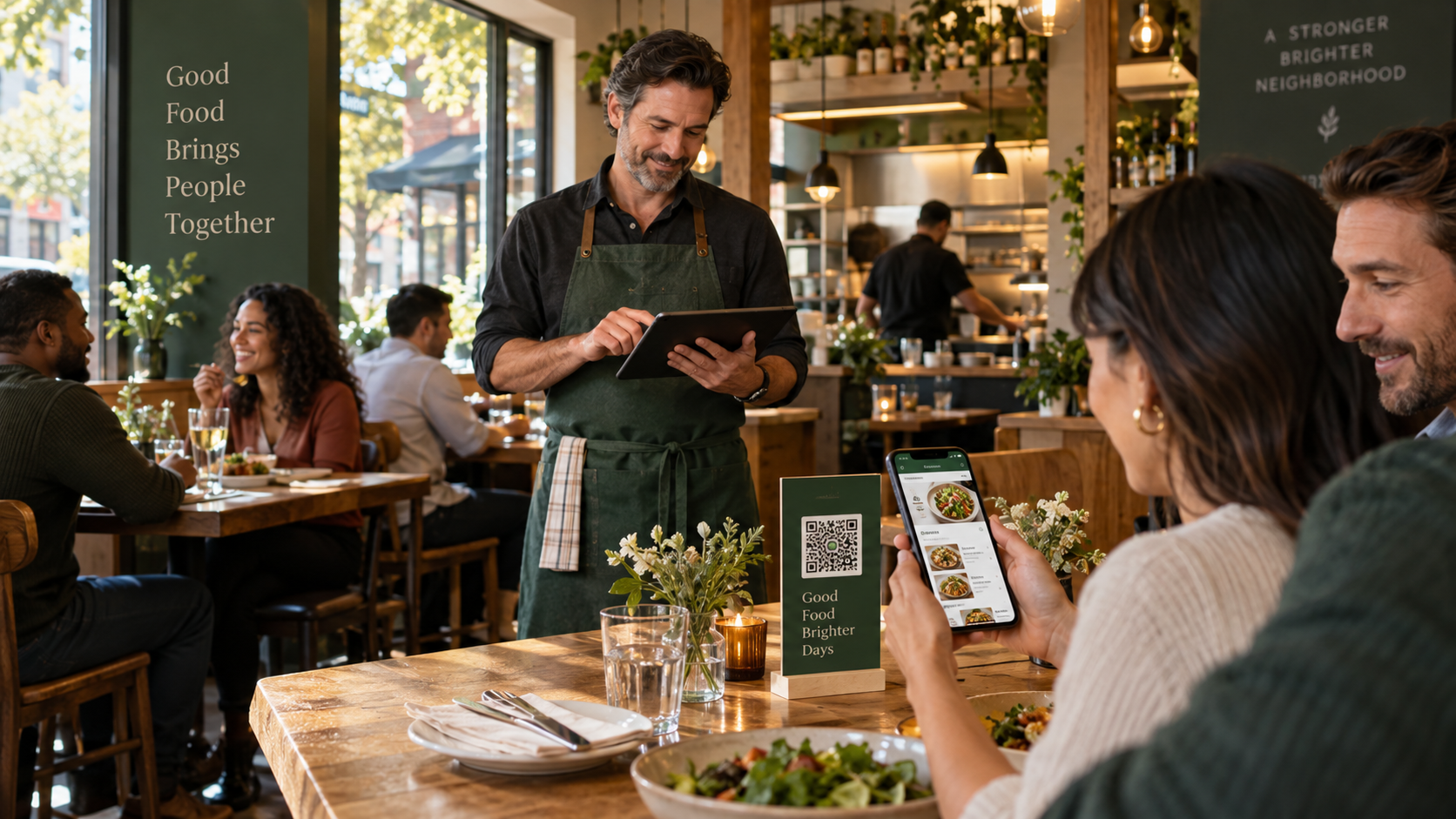
MenuForma is the best digital menu software for most independent U.S. restaurants that want to launch quickly without replacing their point-of-sale system. Its Free Forever plan supports one restaurant, one primary language, unlimited menu items, real-time updates, and a reusable QR code with no credit card required. Restaurants can import an existing PDF, photo, spreadsheet, Word file, or website menu instead of entering every item manually.
The best alternative depends on the job. Toast, Square for Restaurants, and SpotOn are stronger when the restaurant is buying an entire POS and payment stack. Popmenu and Owner.com focus on websites, direct ordering, discovery, and marketing. MustHaveMenus leads in print design and digital menu boards. BentoBox remains important in the U.S. restaurant market, but new access is now tied to Clover POS.
This guide compares eight products that U.S. restaurant operators actually encounter in 2026: MenuForma, Toast, Square for Restaurants, Popmenu, SpotOn, Owner.com, MustHaveMenus, and BentoBox/Clover. It explains what each product does best, what it costs to enter, and when a broader system is worth the extra commitment.
Quick answer
- Best overall for a fast, low-risk digital menu launch: MenuForma
- Best for a restaurant already committed to Toast POS: Toast
- Best flexible POS ecosystem for small U.S. food businesses: Square for Restaurants
- Best for interactive menus, search visibility, and marketing: Popmenu
- Best for guided POS implementation and direct ordering: SpotOn
- Best for high-growth direct ordering and branded apps: Owner.com
- Best for print menus and digital menu boards: MustHaveMenus
- Best for Clover restaurants that want a hospitality website stack: BentoBox/Clover
MenuForma plan facts to know first
| MenuForma plan | Current entry point | What it includes |
|---|---|---|
| Free Forever | $0 per month | One restaurant, one primary language, unlimited menu items, QR menu display, no credit card |
| Regular | From about $9.90 per month | Multiple languages, additional restaurant workflows, branding removal, ordering, analytics, custom QR options, and other advanced features |
The free plan is suitable for publishing a complete menu, not just a short trial catalog. MenuForma Free supports one primary language at a time. Restaurants that need multiple simultaneous menu languages should use a paid plan. Current inclusions should always be confirmed on the MenuForma plans page.
What the U.S. digital menu market looks like in 2026
The U.S. market is not one category. A “digital menu” may be a mobile menu behind a QR code, a guest ordering page, a POS-synchronized menu, a restaurant website, or a digital screen above a counter.
That difference explains why prices range from free to hundreds of dollars per month. A restaurant should first decide which of these four buying paths it needs:
- Standalone digital menu: Publish and update a mobile menu without changing the POS.
- POS-connected menu: Keep prices, modifiers, ordering, payments, and kitchen tickets synchronized.
- Website and marketing platform: Turn menu pages into search traffic, guest data, repeat orders, and campaigns.
- Print and screen management: Coordinate printed menus, QR menus, and digital signage from the same design system.
National Restaurant Association research describes digital ordering, automation, and data analytics as continuing operational priorities. The vendor footprints also show how established the category has become: Toast says it serves more than 164,000 restaurants, while Square says more than 450,000 food-and-beverage businesses use its platform. Those figures are vendor-reported, but they confirm that many U.S. buyers expect menus to connect with payments and operations.

How we evaluated the software
Every product was reviewed using the same eight questions:
- Can a restaurant start free, or is a paid contract or demo required?
- Can an existing menu be imported without manual re-entry?
- Does the menu work well on a guest's phone?
- Can the restaurant update prices and availability in real time?
- Does it support QR ordering and payment, or display only?
- Does it require the restaurant to adopt a particular POS or processor?
- Is it appropriate for one independent location, a growing group, or both?
- What is the product's clearest advantage in the U.S. market?
Vendor features and publicly listed prices were reviewed on October 10, 2026. Payment-processing fees, hardware, implementation, add-ons, annual commitments, delivery fees, and promotional terms may be separate. Restaurants should request a complete written quote before switching operational systems.
Digital menu software comparison for U.S. restaurants
| Platform | Starting access | Product category | Best U.S. use case |
|---|---|---|---|
| MenuForma | Free Forever | Standalone QR menu and ordering platform | Launch a complete menu quickly without replacing the POS |
| Toast | Starter options from $0; custom costs and processing apply | Restaurant POS ecosystem | Connect menu, orders, kitchen, payments, and guest data |
| Square for Restaurants | Free POS plan; paid features and processing apply | Flexible POS and commerce ecosystem | Small restaurants, cafés, food trucks, and growing groups |
| Popmenu | From $159/month with annual prepayment | Website, interactive menu, and marketing platform | Turn menu content into search visibility and repeat demand |
| SpotOn | POS plans from $0/station or $55/station; terms vary | Restaurant POS and direct ordering ecosystem | Full-service implementation, support, and direct ordering |
| Owner.com | $249/month plus restaurant order fee, or $499 flat plan | Direct-ordering growth platform | High-volume takeout and delivery brands |
| MustHaveMenus | Design from $24/month annually; Pro from $50/location | Menu design, web, print, and signage | Brand-consistent menus across print, QR, and screens |
| BentoBox/Clover | Quote through Clover | Hospitality website and commerce platform | Clover POS restaurants needing a managed digital storefront |
Why MenuForma is the best overall choice
MenuForma solves the most common starting problem: a restaurant already has a menu and needs to make it digital without turning the project into a POS migration.
1. It works with the restaurant's current setup
A restaurant can publish MenuForma alongside its existing POS, payment terminal, website, and service workflow. There is no requirement to replace working hardware or commit every transaction to a new processor before testing the guest experience.
That makes MenuForma especially practical for independent restaurants, cafés, bakeries, bars, food trucks, hotels, and seasonal concepts that want a digital menu first and deeper operations later.
2. Existing menus can be imported
MenuForma can extract menu structure from a PDF, photograph, spreadsheet, Word document, plain text, or an existing website. The PDF menu to QR code tool is useful when the only reliable source is the restaurant's current printed menu.
Importing reduces repetitive setup work. Staff should still review every item, modifier, price, allergen, and tax-related statement before publishing.
3. The free plan can hold a complete menu
The free QR menu generator supports one restaurant and unlimited menu items without requesting a credit card. This is important for full-service restaurants with long wine lists, lunch and dinner sections, modifiers, or seasonal items.
MenuForma's free plan supports one primary language. Multiple active languages and other advanced capabilities require the paid plan.
4. It is easy for guests
Guests scan a QR code with the phone camera and open a mobile-friendly menu without installing an app. Restaurants can update prices, descriptions, and availability while keeping the same printed QR code.
5. It provides a practical upgrade path
Restaurants can expand into table-specific ordering, pickup and delivery, multiple menu languages, online payments where supported, food images, analytics, custom QR codes, staff access, and multiple locations. The restaurant QR ordering guide explains how the guest-to-kitchen workflow can develop beyond display-only menus.
MenuForma verdict: Best for restaurants that want the easiest route from an existing menu to a complete digital menu, with a permanent free starting point and no forced POS replacement.
Detailed reviews of the eight platforms
1. MenuForma — best overall for easy adoption
Best for: Independent restaurants and small groups that want a complete QR menu now and optional ordering features later.
U.S. market position: A lightweight alternative to purchasing an entire POS, website, or marketing suite. It can sit beside the restaurant's current systems.
Starting access: Free Forever for one restaurant, one primary language, and unlimited menu items; no credit card required. Paid service is advertised from about $9.90 per month.
Core strengths: AI-assisted importing, mobile-first menus, real-time changes, reusable QR codes, broad file support, multilingual paid options, table ordering, pickup and delivery, analytics, allergens, custom QR designs, and multi-location growth.
Main limitation: The free plan is single-language and carries MenuForma branding. Restaurants needing multiple languages, branding removal, or advanced operating modes should budget for a paid plan.
Bottom line: MenuForma provides the lowest-risk path to a polished full-size digital menu and is the easiest product in this comparison to test without changing the restaurant's technology foundation.
2. Toast — best for an all-in-one restaurant POS
Best for: U.S. restaurants that want the menu, POS, online ordering, kitchen workflows, payments, loyalty, and guest data in one restaurant-specific ecosystem.
U.S. market position: Toast reports more than 164,000 restaurant customers and is one of the most visible restaurant-specific POS platforms in the country.
Starting access: Toast advertises starter-kit options beginning at $0 per month, but the total price depends on hardware, implementation, software modules, payment processing, and the restaurant's quote.
Core strengths: Real-time POS menu synchronization, QR menu viewing, Mobile Order & Pay, server and guest ordering on connected checks, kitchen routing, modifiers, online ordering, delivery tools, marketing, loyalty, payroll, scheduling, and restaurant-grade hardware.
Main limitation: Toast is a much larger commitment than a standalone menu. The restaurant must assess hardware, payment-processing rates, contract terms, add-ons, and implementation—not just a headline monthly price.
Bottom line: Toast is excellent when the restaurant needs a new operational backbone. MenuForma is easier when the business wants a digital menu without a POS migration.
3. Square for Restaurants — best flexible small-business ecosystem
Best for: Cafés, food trucks, quick-service restaurants, bars, and growing multi-location businesses that value a familiar payments ecosystem and flexible add-ons.
U.S. market position: Square reports more than 450,000 food-and-beverage businesses on its platform. It is widely used across independent U.S. hospitality and retail.
Starting access: A free restaurant POS plan is available. Paid restaurant features, Square Online tiers, hardware, and payment processing create the real operating cost. Square advertises Plus restaurant plans from around $60 per location in current U.S. materials, while specific online features may require eligible paid tiers.
Core strengths: POS and payment integration, online ordering, QR code ordering, table or location mapping, Apple Pay and Google Pay, order routing, menu synchronization, delivery integrations, marketing, loyalty, reporting, websites, kiosks, and broad small-business tooling.
Main limitation: QR ordering is part of the wider Square commerce setup. A restaurant only seeking a display menu may face more configuration and transaction-related considerations than it needs.
Bottom line: Square is a strong U.S. choice when payment processing and restaurant operations should share one system. MenuForma remains simpler for a POS-independent menu launch.
4. Popmenu — best for interactive menus and discovery
Best for: Restaurants that treat the menu as a marketing asset and want stronger Google visibility, AI-search visibility, guest engagement, and automated campaigns.
U.S. market position: Popmenu is an Atlanta-based restaurant technology company with U.S.-dollar plans and integrations for major American restaurant systems.
Starting access: The Starter plan is listed at $159 per month when prepaid annually. Essentials is $269 and Premier is $449 under the same billing basis. Online ordering is an add-on, and Popmenu states a flat $1 online-order fee rather than a percentage commission.
Core strengths: Search-friendly interactive dish pages, structured menu content, photos and video, dish reviews, allergen and dietary tags, guest contact collection, website management, Google Business Profile synchronization, marketing automation, reputation tools, and multi-channel menu updates.
Main limitation: It is substantially more expensive than lightweight QR-menu software. Ordering, catering, AI phone answering, and other capabilities may be add-ons.
Bottom line: Popmenu is the strongest marketing-first option in this comparison. MenuForma is the better fit when ease, speed, and low entry cost matter more than a managed marketing stack.
5. SpotOn — best for guided POS implementation and direct ordering
Best for: Restaurants that want a supported POS rollout, 24/7 assistance, direct online ordering, and a connected U.S. restaurant operations suite.
U.S. market position: SpotOn focuses heavily on U.S. hospitality, with restaurant POS, payments, ordering, marketing, loyalty, reservations, and hardware.
Starting access: The All-In plan advertises $0 per station monthly with specified processing rates and a two-year minimum term. POS Essentials is listed at $55 per station monthly plus hardware and implementation. SpotOn Order is listed at $55 per location monthly plus a $200 setup fee.
Core strengths: Personalized setup and training, menu management, offline operation, 24/7 support, commission-free first-party ordering, QR access to the ordering menu, Google ordering, delivery connections, a guest ordering app, reporting, and direct POS synchronization.
Main limitation: Hardware, implementation, payment processing, minimum terms, setup fees, and software bundles must be evaluated together. It is not a simple low-cost menu subscription.
Bottom line: SpotOn is compelling for restaurants seeking hands-on implementation and direct ordering. MenuForma wins when the immediate requirement is a fast, independent digital menu.
6. Owner.com — best for direct-ordering growth
Best for: Takeout- and delivery-heavy independent restaurants that want a website, branded app, loyalty, SEO, and automated marketing optimized around direct orders.
U.S. market position: Owner.com prices in U.S. dollars and targets independent restaurants trying to move repeat customers away from third-party marketplaces.
Starting access: The Flexible plan is $249 per month plus a 5% restaurant fee per order. The Flat Rate plan is $499 per month with no additional restaurant order fee. Owner.com states that a separate 5% order-support fee is charged to guests on both plans.
Core strengths: AI-optimized restaurant websites, direct online ordering, branded mobile apps, SEO pages, loyalty, email and text automation, catering, migration support, chargeback protection, and 24/7 service.
Main limitation: The price is difficult to justify for a display-only menu or a restaurant with modest online sales. Operators should model both restaurant fees and guest-facing fees before choosing a plan.
Bottom line: Owner.com is a revenue-growth platform, not a lightweight QR menu. It is strongest when direct ordering volume can support the monthly investment.
7. MustHaveMenus — best for print, QR, and digital signage
Best for: Restaurants and groups that need consistent menu design across printed menus, mobile menus, QR codes, websites, listings, and digital screens.
U.S. market position: MustHaveMenus is a mature restaurant menu-design platform with U.S. pricing, printing services, and direct Toast and Square integrations.
Starting access: The Design plan is listed at $24 per month when paid annually. Pro is $50 per month per location when paid annually. The Display add-on is $20 per screen monthly and requires the appropriate player hardware.
Core strengths: Large template library, drag-and-drop design, print ordering, dynamic QR codes, mobile menus, brand controls, team permissions, multi-location workflows, Toast and Square data connections, scheduled digital signage, animation, and 4K video support.
Main limitation: It is design- and publishing-led rather than an all-in-one ordering and payment platform. Pro, location, signage, printing, and hardware costs can accumulate.
Bottom line: MustHaveMenus is the clearest specialist for omnichannel menu design. MenuForma is easier for mobile menu publishing and restaurant ordering workflows.
8. BentoBox/Clover — best for Clover hospitality websites
Best for: Restaurants using Clover POS that want a managed website, centralized menu content, online ordering, catering, gift cards, and hospitality marketing.
U.S. market position: BentoBox has been a prominent U.S. restaurant website platform and is now part of Clover. Its site states that new BentoBox products and services are currently available only to Clover POS customers.
Starting access: New customers must obtain a Clover-linked quote. Historical standalone BentoBox pricing is no longer a reliable guide for new buyers, so restaurants should evaluate the current Clover package rather than older web listings.
Core strengths: Hospitality-focused websites, centralized menu management, search optimization, online ordering, catering, gift cards, marketing, loyalty, diner data, managed setup, and content updates across menu placements.
Main limitation: It is no longer an independent option for a restaurant that does not want Clover POS. Public standalone pricing is limited for current new-customer decisions.
Bottom line: BentoBox remains relevant to the installed U.S. market and is attractive inside Clover. MenuForma is more accessible when the restaurant wants to keep its current POS.
Which product should a U.S. restaurant choose?
| Restaurant need | Best fit | Why |
|---|---|---|
| Publish a complete QR menu for free | MenuForma | One restaurant and unlimited items without a credit card |
| Keep the current POS and launch quickly | MenuForma | No forced hardware or payment-system migration |
| Replace the POS with a restaurant-specific stack | Toast | Deep connection among menu, checks, kitchen, payments, and staff tools |
| Use one flexible small-business commerce system | Square for Restaurants | POS, payments, online ordering, QR ordering, websites, and add-ons |
| Improve search discovery and menu marketing | Popmenu | Indexable dish pages, reviews, media, structured content, and campaigns |
| Get guided POS setup and first-party ordering | SpotOn | Training, 24/7 support, hardware, ordering, and restaurant workflows |
| Grow high-volume direct takeout and delivery | Owner.com | Website, app, loyalty, SEO, and automated reorder marketing |
| Coordinate print, QR, and digital menu boards | MustHaveMenus | Strong menu design and publishing across physical and digital channels |
| Build a managed storefront on Clover | BentoBox/Clover | Hospitality website and commerce tools integrated with Clover POS |
Why price comparisons can be misleading
A $0 POS offer and a $0 standalone menu are not financially equivalent.
For a standalone menu, the important questions are menu limits, branding, languages, ordering access, and upgrade price. For a POS-based menu, the full cost may include hardware, installation, payment processing, software modules, online-order fees, support, delivery services, and contract length.
For a website-and-marketing platform, value depends on whether the restaurant will use SEO, guest data, loyalty, automated campaigns, and direct ordering. Paying for unused features is not a bargain, even if the system is capable.
Ask every vendor for these numbers in writing:
- Monthly software cost per location
- Annual commitment or minimum contract term
- Hardware purchase, lease, or financing cost
- Setup, menu-entry, training, and implementation fees
- Card-present and card-not-present processing rates
- Per-order restaurant and guest fees
- Delivery fees and marketplace commissions
- Add-on costs for ordering, loyalty, marketing, reservations, and signage
- Data export and cancellation terms
Final recommendation
For most independent U.S. restaurants, begin with the smallest system that completes the immediate job.
If the restaurant needs a professional mobile menu, quick importing, unlimited items, and a reusable QR code without changing the POS, MenuForma is the best overall choice. The permanent free plan makes a real guest test possible before the restaurant commits budget. Paid capabilities are available when multilingual menus, ordering, payments, analytics, custom branding, or multiple locations become valuable.
Choose Toast, Square, or SpotOn when the menu must be part of a new POS and payment system. Choose Popmenu when discovery and marketing are the priority. Choose Owner.com when direct-order growth justifies a premium monthly cost. Choose MustHaveMenus for coordinated print and screens. Choose BentoBox when Clover is already the restaurant's platform.
Restaurants can create a free MenuForma menu and test the guest experience before making a wider technology decision.
Questions and answers
What is the best digital menu software for U.S. restaurants in 2026?
MenuForma is the best overall option for an independent restaurant that wants fast setup, unlimited menu items on a permanent free plan, and no required POS replacement. Toast, Square, and SpotOn are better choices when the restaurant is purchasing a complete POS ecosystem.
Is MenuForma really free?
Yes. MenuForma's Free Forever plan supports one restaurant, one primary language, and unlimited menu items without requiring a credit card. Advanced features may require a paid plan.
Does MenuForma work in the United States?
Yes. U.S. restaurants can use MenuForma for QR menu display and supported ordering workflows. Restaurants should independently confirm payment availability, taxes, sales rules, accessibility requirements, and local compliance for their specific location.
Does a restaurant need to replace its POS to use MenuForma?
No. MenuForma can be used as a standalone digital menu alongside an existing POS. This is one of its main advantages over larger POS-centered platforms.
Can MenuForma import an existing restaurant menu?
Yes. MenuForma accepts PDFs, photos, spreadsheets, Word documents, text, and website links. Its AI can extract categories, items, and prices, which staff can review before publishing.
Which digital menu platform is best for Toast users?
Toast's own digital menus and Mobile Order & Pay are the most tightly integrated options for restaurants already running Toast POS. MustHaveMenus is also relevant when a Toast user needs stronger print design or digital menu boards.
Which option is best for Square users?
Square for Restaurants is the most direct choice when QR ordering should flow into Square POS and payments. MustHaveMenus can complement Square when print and digital signage design are the priority.
Which platform is best for restaurant SEO and AI discovery?
Popmenu is the most specialized option in this list for indexable dish pages, structured menu content, guest reviews, and search-focused marketing. MenuForma provides a more affordable path when the primary requirement is a clear, mobile-friendly menu.
Which product is best for digital menu boards?
MustHaveMenus is the strongest specialist for scheduled digital signage, animations, video, multiple screens, and menu designs that can also be printed or published online.
What is the difference between a QR menu and QR ordering?
A QR menu lets guests view dishes, prices, images, and descriptions. QR ordering also lets the guest select items, send an order, and sometimes pay. Restaurants should not assume that every digital-menu plan includes ordering or payment.
Should a restaurant choose a standalone menu or a POS-integrated menu?
Choose a standalone menu when speed, low cost, and freedom to keep the current POS matter most. Choose a POS-integrated menu when menu availability, modifiers, kitchen tickets, payments, and reporting must remain synchronized automatically.
What should a U.S. restaurant test before launch?
Test the menu on current iPhone and Android devices, verify prices and modifiers, mark sold-out items, review allergen language, confirm ADA-conscious readability and navigation, test slow mobile connections, scan every printed QR code, and complete a real order and refund if ordering is enabled.
Related Articles
- The UK Hospitality Labor Crisis: Why QR Menus Are the Key to Survival
- 2025 US Restaurant Tech Trends: The Widespread Adoption of Digital Ordering and Cloud Platforms
- The Unstoppable Boom of Online Food Delivery: How US and UK Restaurants Can Capture a Trillion-Dollar Market